
 Bottle Coolers & Beer Fridges
 Ice Cream Displays
 Ice Cream Machines
 Chest Freezers
 Commercial Freezers
 Commercial Fridges
 Ice Cube Makers and Flakers
 Wine Coolers
 Bain Maries
 Commercial Microwaves
 Commercial Sinks
 Commercial Ovens
 Fryers and Chip Scuttles
 Glass and Dishwashers
 Pie Warmers & Hot Food Displays
 Pizza Ovens
 Water Boilers
 Bar Supplies
 Bowls & Display Baskets
 Cash Registers
 Chafing Dish Sets & Fuel
 Menus & Boards
 Table Numbers & Stands
 Salt, Pepper & Spice Mills
 Crockery
 Cutlery
 Glassware
 Wine Glasses
 Bins
Bins Cleaning Chemicals
 GreasePak
 Janitorial Equipment
 Laundry Equipment
 Coffee Machines
 Juice Dispensers
 Juicers
 Drink Blenders
 Milkshake Blenders
 Slush Machines
 Water Boilers
 Cookware
 Gastronorm Containers
 Ingredient Bins
 Pastry & Baking
 Utensils
 Pizza Pans & Equipment
 Food Storage
 Food Transport & Delivery Bags
 Folding Furniture
 Garden and Outdoor Furniture
 High Chairs
 Chairs
 Tables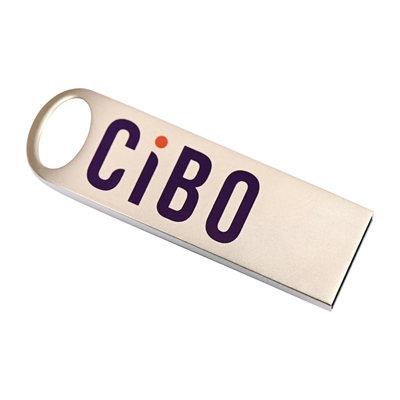
45% OFF
Jarvis
Catering SpecialistJarvis is an AI assistant and may occasionally provide incorrect details. To ensure your equipment fits and functions perfectly, we recommend verifying all critical specifications-including dimensions, power requirements, and compatibility-with our expert sales team prior to purchase.For orders or stock, call 0333 355 0535
How can we help?
Choose an option below
Select an option to get started. We're here to help!
Product Questions
Specs, suitability, features & comparisons
Other Enquiries
Delivery, warranty, invoices & customer service
Lincat
In Stock
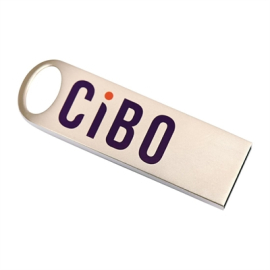
Lincat USB Stick for CiBO Ovens
£47.09
/ exc vat
£56.51/ inc vat
- Official Lincat Accessory
- Effortless Software Updates
- Recipe Programming
- Multi-Site Consistency
Have a quick question about this product?
Ask instantly →
Product Overview
Here’s the clever bit of kit that acts as the brain for your Lincat CiBO oven. More than just a memory stick, this is your key to unlocking flawless consistency and keeping your high-speed oven at the cutting edge. It’s been specifically designed to talk to your CiBO, letting you upload new software updates or transfer your perfectly honed cooking programs in a flash.
This nifty tool is an absolute must-have for any professional kitchen running one or more CiBO ovens. Whether you’re a multi-site chain needing every panini to be identical, or a development chef rolling out a new menu, this is how you do it efficiently. The Lincat CiBO oven programming USB takes the guesswork out of quality control, ensuring your customers get the same delicious result every single time.
Crafted with a durable, wipe-clean metal casing, it’s built to withstand the hustle and bustle of a busy kitchen environment. Forget fiddling with settings on each machine; simply plug in, upload, and you're good to go. It’s the simplest way to manage your menu, improve your workflow, and get the absolute most out of your Lincat investment.
Key Features and Benefits
- Official Lincat Accessory: Guarantees perfect compatibility and reliable performance with your oven.
- Effortless Software Updates: Keeps your CiBO oven running with the latest efficient features.
- Recipe Programming: Easily upload entire new menus and cooking profiles in seconds.
- Multi-Site Consistency: Ensures every dish is cooked identically across all your locations.
- Durable Metal Casing: Built tough to handle the daily knocks of a kitchen.
- Wipe-Clean Finish: Simple to keep clean and hygienic alongside your other equipment.
- Plug-and-Play Simplicity: No complex setup needed, just plug it in and follow prompts.
- Efficient Data Transfer: Move cooking settings and profiles between ovens without any fuss.
Technical Specifications
- Brand: Lincat
- SKU: FC692
- Product Type: Programming USB Stick
- Connection Type: Standard USB-A
- Material: Wipe-Clean Metal
- Compatibility: Specifically for Lincat CiBO Ovens
- Function: Software Updates & Recipe Data Transfer
Expert Review and Insights
It might just look like a USB stick, but this is the magic wand for any CiBO oven user. It's all about precision and consistency on a grand scale. This little device allows chefs to ensure the signature dish in their Bristol branch is an exact replica of the one in Birmingham. It’s an essential, non-negotiable tool for any quality-focused operation.
Oliver Bennett – Catering Equipment Expert View Profile →
- Pro: Makes rolling out menu changes across a business incredibly simple and fast.
- Con: Being a specific tool, you’ll need to keep it in a safe place.
Case Study: Real Business, Real Results
"City Airport Snacks," a fast-paced kiosk at Manchester Airport, needed to update its three CiBO ovens with a new breakfast menu without causing any downtime during peak hours.
"Previously, we’d have to program each oven manually, which was a real headache and prone to errors. With the Lincat USB data transfer stick, we loaded the new menu onto all three machines in less than 10 minutes before the morning rush. The consistency is now spot on."
Michael Edwards – Operations Manager
The update process was 90% faster, and it completely eliminated programming errors, ensuring every commuter got the perfect breakfast bap.
Installation and Maintenance Guide
Setting It Up
- First, download your recipe file or the latest software update from Lincat's portal onto a computer.
- Simply plug the Lincat USB stick into your computer and drag and drop the file onto it.
- Safely eject the USB stick and take it over to your switched-on CiBO oven.
- Insert it into the oven's USB port and follow the clear, simple prompts on the touchscreen to install.
Keeping It Going
- If it gets grubby, just wipe the metal casing with a soft, dry or slightly damp cloth.
- Store it in a safe place like an office drawer, away from the heat and steam of the kitchen.
- Keep the protective cap on when not in use to protect the connector from dirt and grease.
- Avoid dropping it or using it for general computer storage to ensure it's always ready for your oven.
Frequently Asked Questions
Q: Can I use a regular USB stick from a computer shop?
A: We strongly recommend using the official Lincat USB stick. It's built to be more durable for a kitchen environment and is guaranteed to be compatible with the oven's software, preventing any potential errors.
Q: Where do I find the software and recipe files?
A: These files are typically available to Lincat customers via their dedicated online portal. You would download them to a computer before transferring them to this USB stick.
Q: Is this difficult to use?
A: Not at all. It's a simple plug-and-play device. The CiBO oven's on-screen instructions will guide you through the very quick upload process.
Q: What is the storage capacity of the stick?
A: The capacity is perfectly sized for holding Lincat's software and recipe files, which are very small. It is not intended to be used as a large general storage device.
Q: Can I update multiple ovens with one stick?
A: Yes, that's exactly what it's for! You can load the files onto the stick once and then go from oven to oven to update them all with the same data.
Q: Why is it made of metal?
A: The metal casing makes it much more robust than a standard plastic USB stick, helping it survive accidental drops. It's also much easier to wipe clean of kitchen grease and grime.
Q: Does this work with any other brand of oven?
A: No, this USB stick is specifically designed and configured for use with the Lincat CiBO range of high-speed ovens.
Q: Can I edit recipes directly on the USB stick?
A: No, the stick is for data transfer. You would create and edit your cooking programs using Lincat's software on a computer and then use the stick to move them to the oven.
The Lincat Ecosystem: More Than Just Metal
Investing in a Lincat CiBO oven is a commitment to speed and quality, and this Lincat CiBO oven USB stick is a vital part of that ecosystem. It’s about protecting your investment. By using official accessories, you’re not just transferring data; you’re ensuring the operational integrity and longevity of a core piece of your kitchen equipment. This small device unlocks operational efficiency, enabling chains to achieve perfect menu consistency and independent chefs to execute complex recipes flawlessly every time. It's a testament to Lincat's understanding of the real-world pressures in a commercial kitchen—where precision, reliability, and the ability to adapt your menu quickly aren't just nice-to-haves, they're essential for success.
Explore more from LincatUnlock Total Consistency: How Recipe Programming Works
Ever wished you could just copy and paste your best chef’s skills? That’s basically what this Lincat CiBO oven USB stick lets you do. Think of your oven's cooking settings—temperature, time, fan speed—as a recipe in a cookbook. Manually entering it every time is slow and leaves room for mistakes. This USB allows you to save that perfect 'digital recipe' as a simple file. It’s like saving a document on your computer. You can then walk this 'document' over to any other CiBO oven, plug it in, and instantly upload that exact same cooking method. It takes the human error out of the equation, guaranteeing that the lasagne cooked on a Monday by a new trainee is identical to the one cooked on a Friday by your head chef.
Who Should Buy This?
-
Restaurant & Café Chains
For guaranteeing menu consistency and simplifying the rollout of new dishes across all your sites. -
Contract & Event Caterers
To quickly program ovens on-site with bespoke menus for different clients and events. -
Large Hotel Kitchens
For managing a diverse range of cooking programs for banqueting, room service, and restaurants. -
Food Development Teams
To create, save, and distribute new, tested cooking programs to the entire operation seamlessly.
Find equipment tailored to your type of business:
Shop for Cafes Shop for Hotels Shop for Restaurants View All Business Types
You Might Also Like
-
 £342.62 £625.82
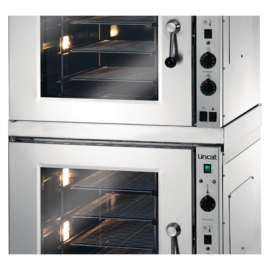
Lincat CD435 Stacking Kit For Convection Ovens Spare Part (Fits ECO9)
250H x 766W mm
Lincat
Enables you to stack two machines together to double your oven capability
Stainless Steel
-
 £143.87 £263.14
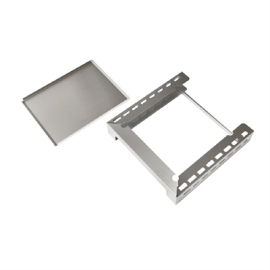
Lincat CiBO Plinth and Crumb Tray CIBO/PL
FC697
Lincat
Ventilation holes for optimised airflow
Easy-remove crumb tray to keep your work area spotless
-
 £143.87 £263.14
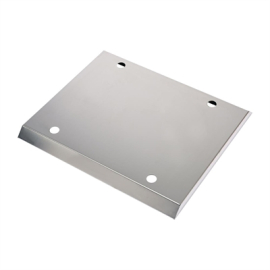
Lincat Stacking Kit for CiBO Ovens
FC696
Lincat
For secure stacking of your CiBO units
Easy clean stainless steel
-
 £364.35 £666.94
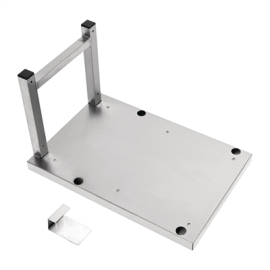
Lincat Wall Bracket for CiBO Ovens
FC695
Lincat
Easy clean stainless steel
Perfect for front of house applications
-
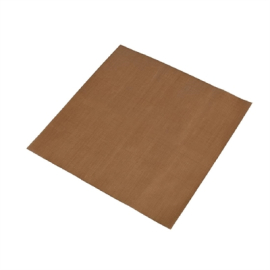 £51.22 £91.51
Lincat CiBO Teflon Sheet TFS05
300(W) x 300(D)mm
Lincat
Washable and reusable
Protects the base element in your CiBO
-
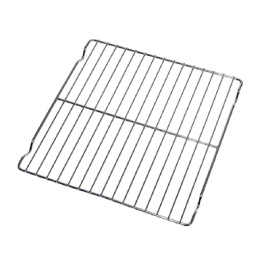 £93.15 £169.68
Lincat CiBO Wire Rack SH136
FC693
Lincat
Designed specifically to fit CiBO ovens to maximise cooking area and output
Constructed from chrome plated mild steel
-
-
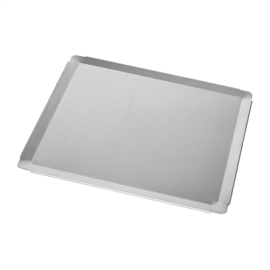 £120.07 £204.65
Lincat Baking Tray to Fit CiBO Ovens
FC690
Lincat
Designed specifically to fit CiBO ovens to maximise cooking area and output
Aluminium for excellent heat retention and distribution to ensure even cooking results
-
 £852.93 £1,559.93
Lincat Floor Stand for EC09 Low
410H x 766W mm
Lincat
Due to the high cost of carriage and handling a restocking fee of up to 25% is applied to this product if returned
Stainless Steel
-
£949.21 £1,735.56
Lincat Floor Stand for EC09
930H x 766W mm
Lincat
Fits up to 12 baking trays/GN trays
Stainless Steel
-
£910.90 £1,665.24
Lincat Floor Stand for EC08
930H x 787W mm
Lincat
Due to the high cost of carriage and handling a restocking fee of up to 25% is applied to this product if returned
Stainless Steel
Why Choose EasyEquipment?
-
Trusted for 50+ Years
We've been kitting out UK kitchens for half a century—we know our onions.
-
Speedy & Free Delivery
Get your gear fast with free UK mainland delivery, often as soon as the next day.
-
Price Match Promise
Find it for less elsewhere? We'll match the price, no quibbles or fuss.
-
Real UK Support
Got a question? Our friendly, UK-based team is on the phone, ready to help you out.
Ready to Order?
Unlock flawless consistency in your kitchen—add the official Lincat CiBO oven USB stick to your basket now for simple, reliable menu programming.